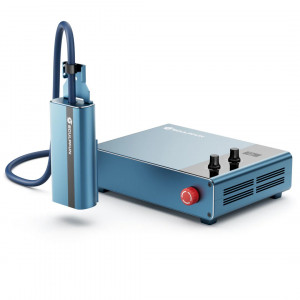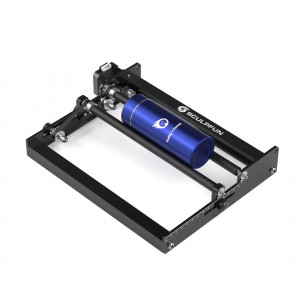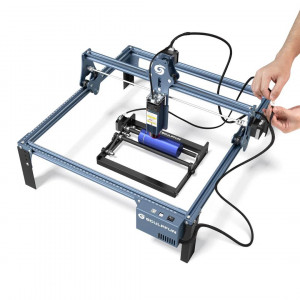


- Stock: In Stock
- Product code: 00-00014055

Sculpfun RA Pro Max 4 in 1 Rotary Module for Engraving Cylindrical Products
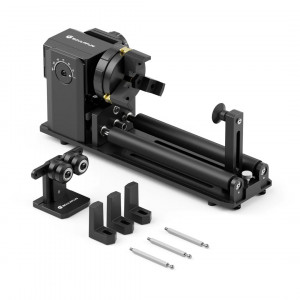
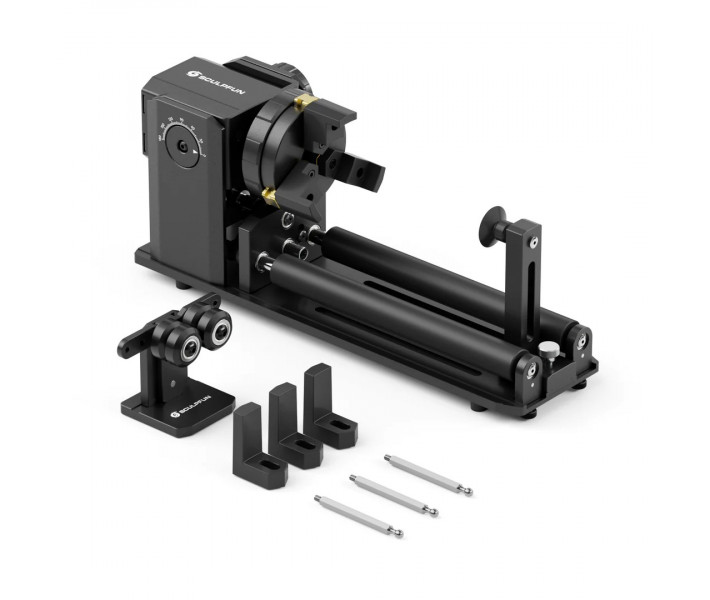
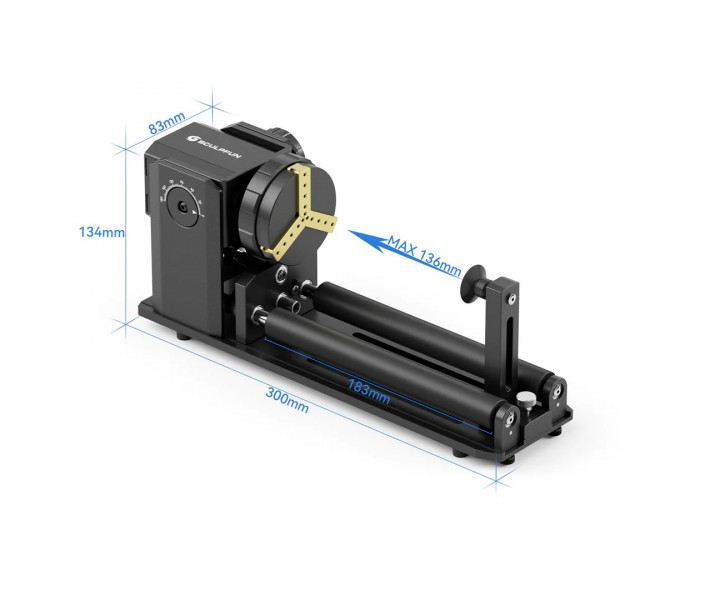
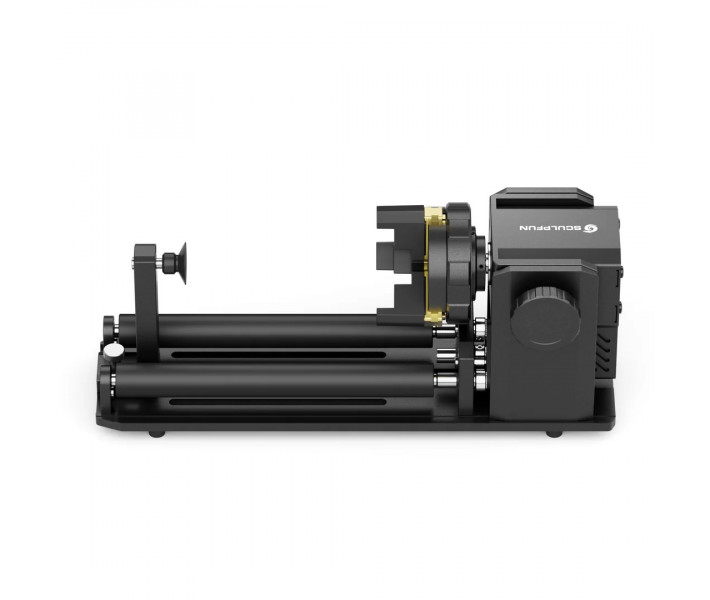
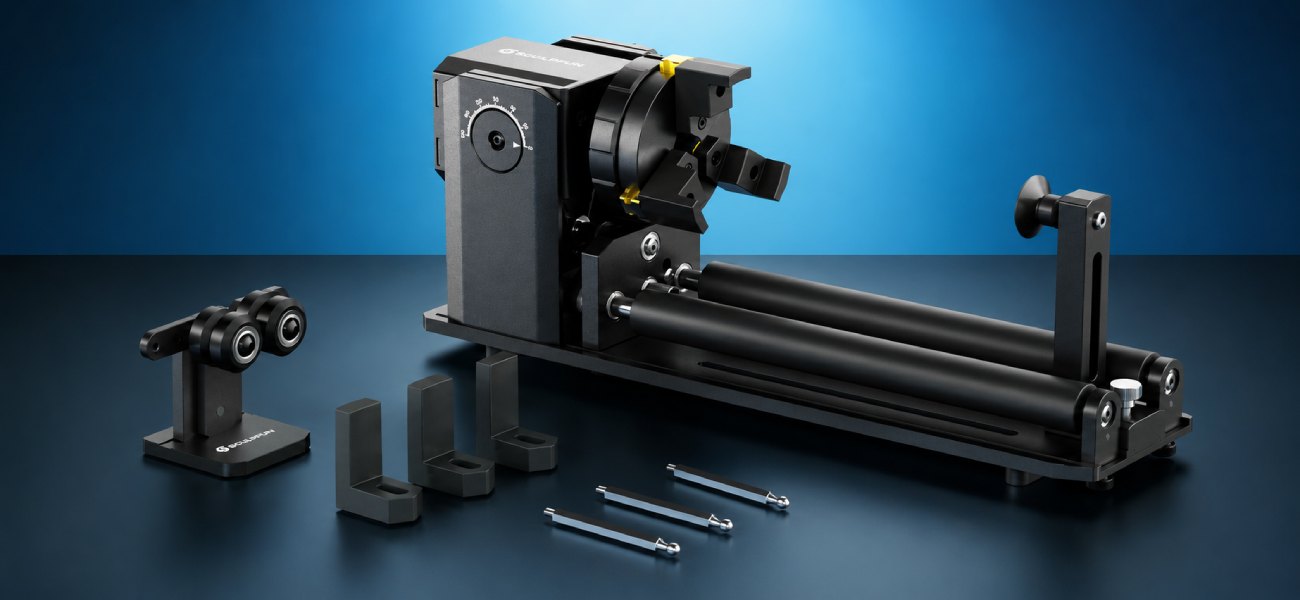
Sculpfun RA Pro Max Chuck is a multifunctional device for rotating workpieces during laser engraving, combining a roller mechanism and a chuck in one design. With angle adjustment from 0 to 180° and multiple fixation options, it is suitable for working with glasses, cups, bottles, pipes, balls, and other round-shaped products.
Advantages and Features
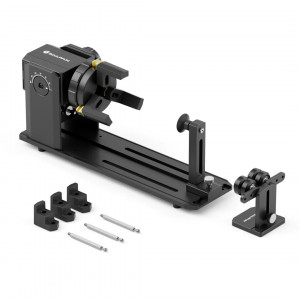
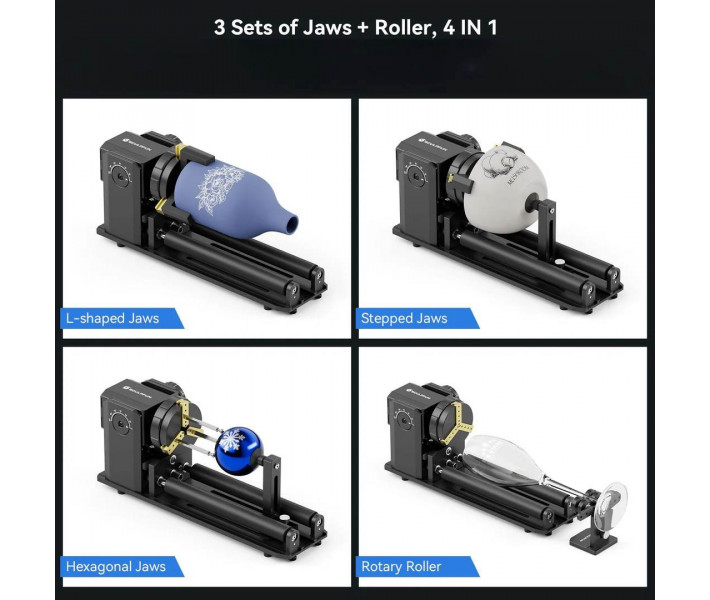
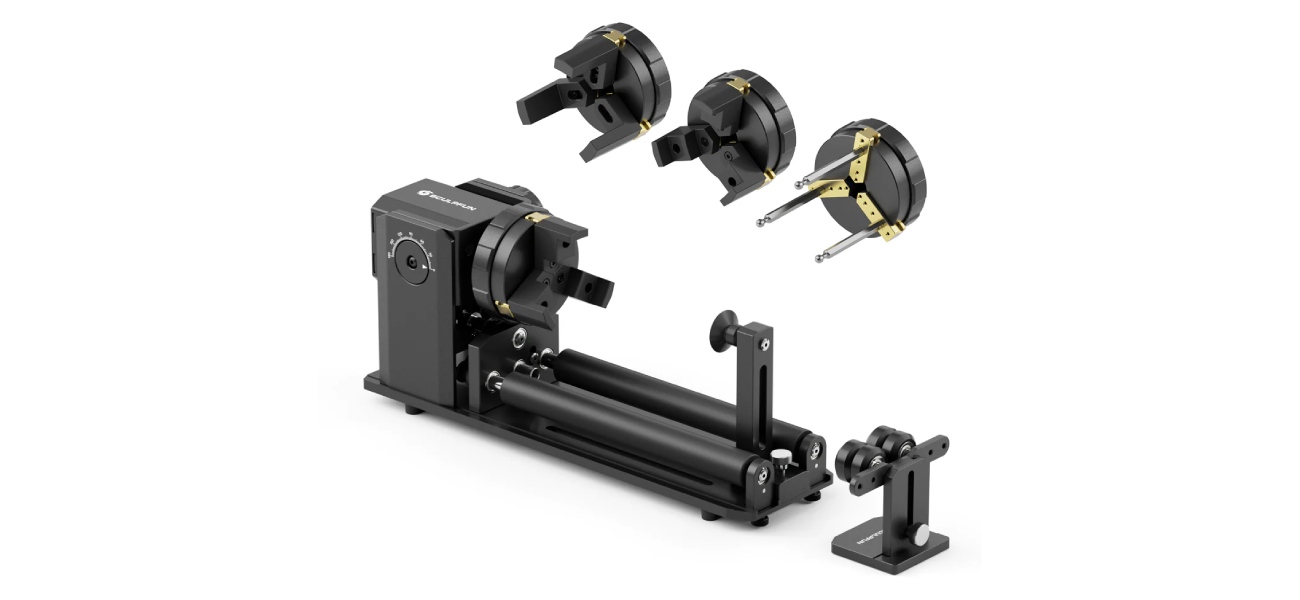
- Four operating modes in one module. The set combines a roller mechanism and three sets of interchangeable chucks. This allows working with both standard cylindrical products and objects of complex shapes.
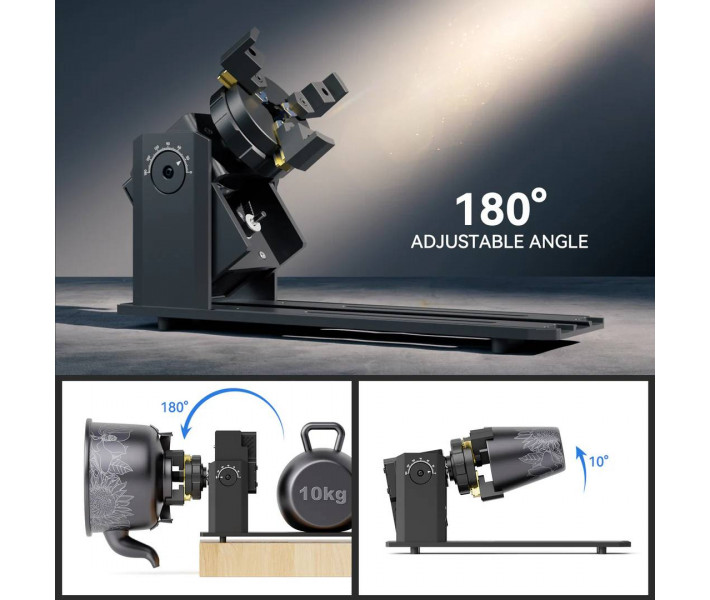
- Flexible workpiece position adjustment. The working unit is adjustable in the range from 0 to 180°. This design allows adapting the module to different shapes and sizes of products.
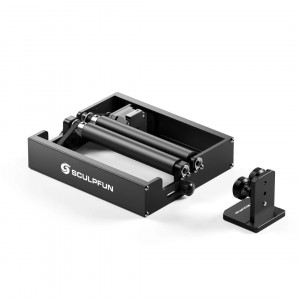
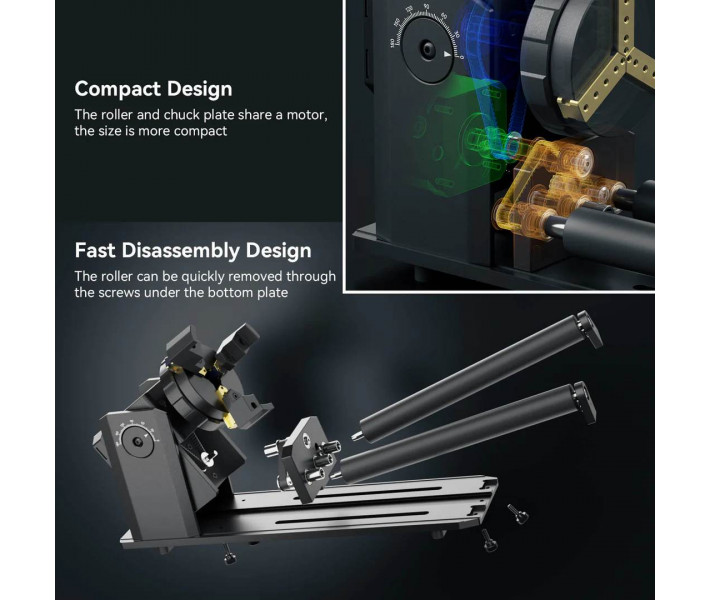
- Quick removal of the roller unit. The roller is fixed with a screw on the underside of the body. No complex disassembly is required to switch between modes.
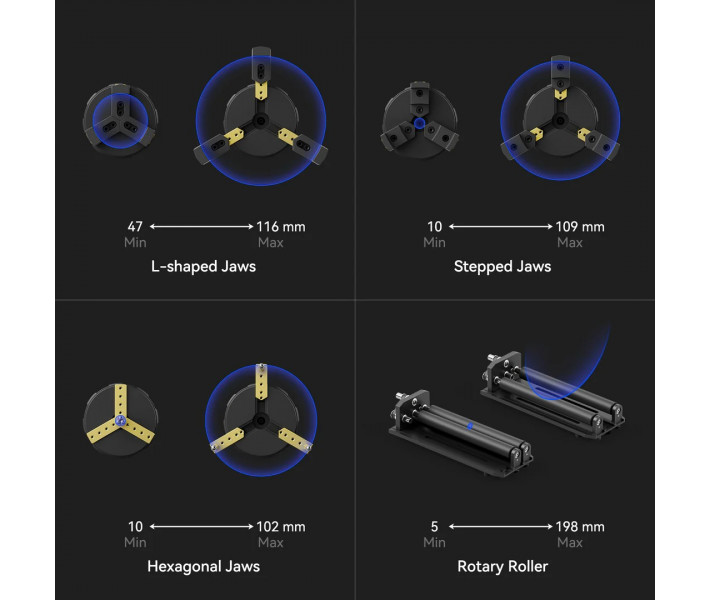
- Support for products of different diameters. In roller mode, two adjustment positions are provided. The system is compatible with cylindrical items with diameters from 5 to 198 mm.
- Durable metal construction. The main elements are made of anodized aluminum alloy. The working chucks are made of brass for reliable clamping of workpieces.
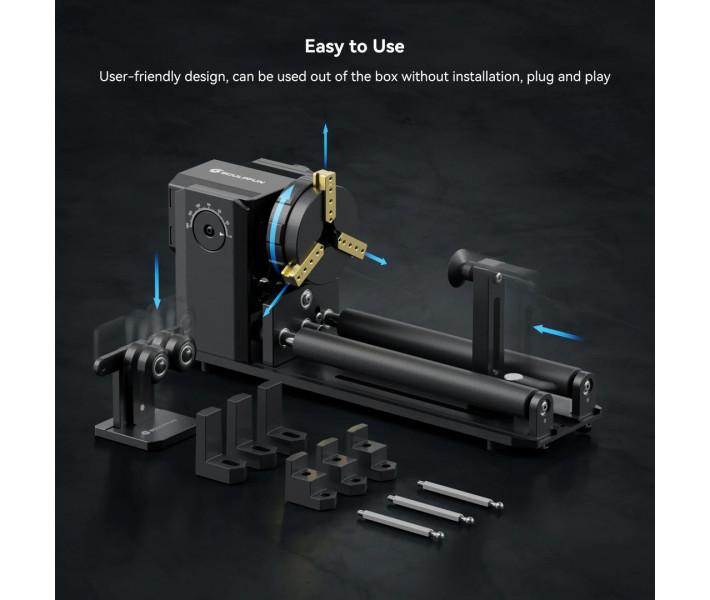
- Connection without additional assembly. The module comes with the necessary cables for connection to the laser engraver. After connecting to the Y-axis stepper motor connector, you can proceed to set up the work.
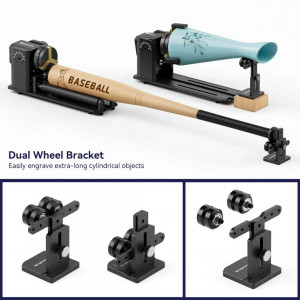
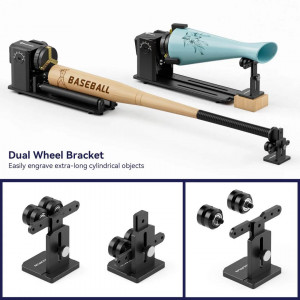
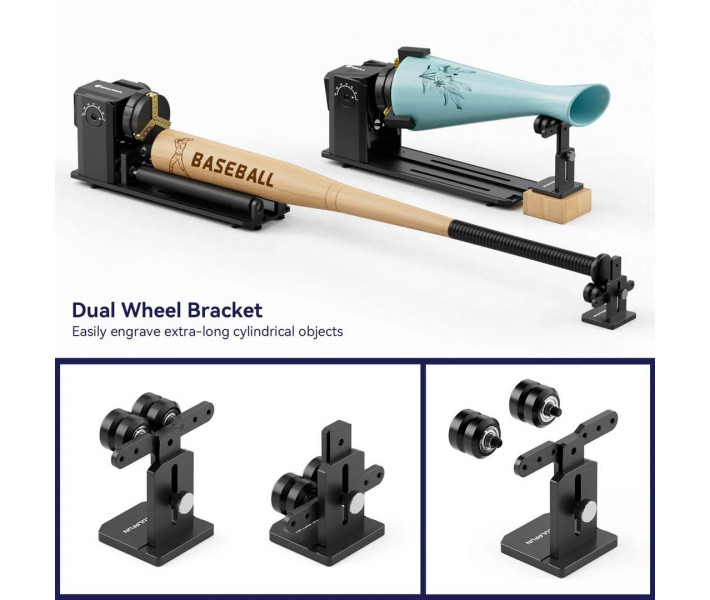
- Auxiliary support system for products. The set includes a tailstock and a two-wheel bracket. They help hold long or non-standard workpieces during rotation.
Design and Functional Capabilities
Sculpfun RA Pro Max Chuck is built on a shared drive for the roller mechanism and chuck. This solution made the device more compact and simplified the change of operating modes.
In roller mode, the workpiece rotates due to contact with the drive rollers. Two adjustment positions are provided, allowing work with products of different diameters.
For non-standard shaped items, three types of interchangeable chucks are used: stepped, L-shaped, and hexagonal. They can be installed in different positions to adapt to the specific shape of the product.
The rotary mechanism supports angle adjustment from 0 to 180°, which facilitates working with tall and large workpieces. Additional supports help stabilize long items and reduce the risk of displacement during engraving.
The module connects to the Y-axis motor interface of the laser machine and supports work with LightBurn and LaserGRBL programs.
Applications
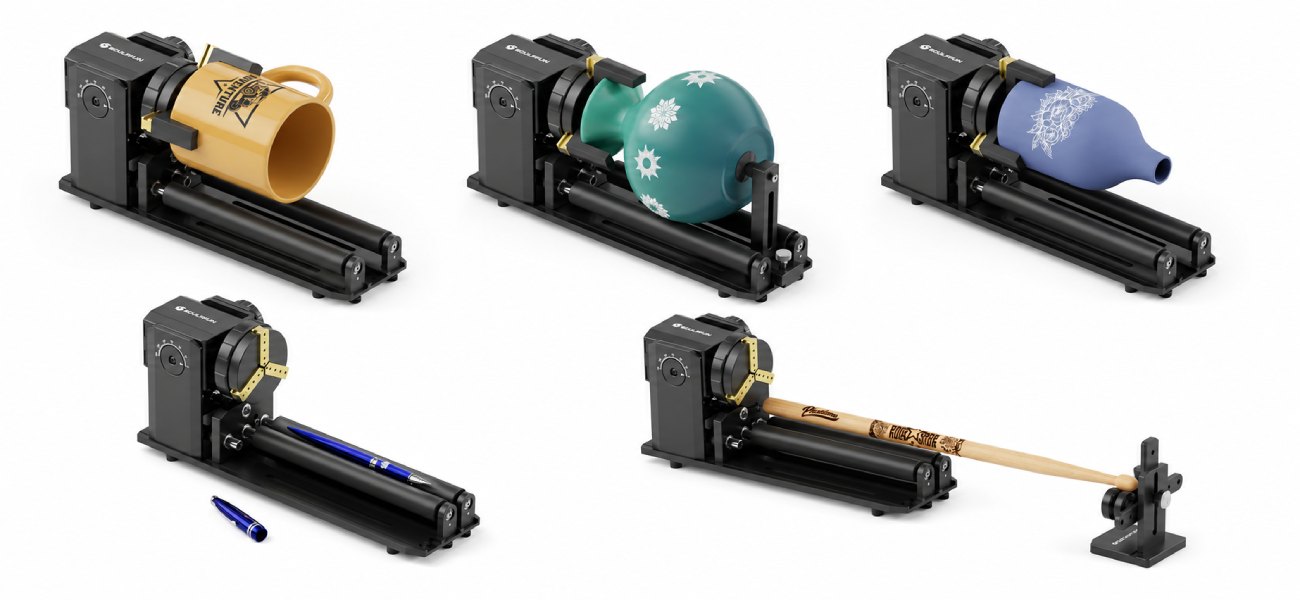
The rotary module is designed for laser engraving of items that require rotation during processing. Thanks to multiple fixation methods, it is suitable for both standard cylindrical products and complex-shaped workpieces.
Suitable for working with:
- glasses;
- tumblers;
- mugs with handles;
- metal pipes;
- wooden cylinders;
- thermal cups;
- bottles;
- baseballs;
- baseball bats;
- decorative round items.
The module is useful for personalizing souvenir products, promotional items, and household items. Support for different types of workpieces expands the capabilities of the laser engraver and allows performing more tasks without additional equipment.
Compatibility
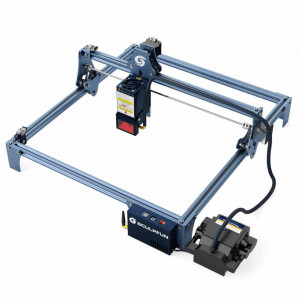
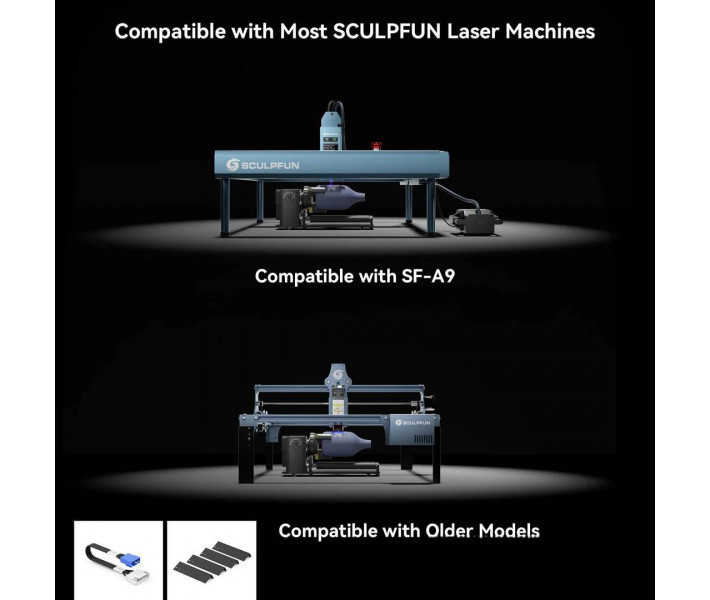
The rotary module Sculpfun RA Pro Max Chuck is designed to work with a wide range of Sculpfun brand laser engravers and supports processing workpieces of various shapes. The design allows reliable fixation of both standard cylindrical products and items with complex geometry.
Laser Engraver Models
- Sculpfun S6
- Sculpfun S6 Pro
- Sculpfun S9
- Sculpfun S10
- Sculpfun S30 Series
- Sculpfun S30 Ultra Series
- Sculpfun SF-A9
- Sculpfun S70
- Sculpfun S40
- Sculpfun V5 UV Laser
Materials and Products for Engraving
- Glass
- Metal
- Wood
- Plastic
- Painted surfaces
- Composite materials suitable for laser marking and engraving
Depending on the fixation method, the module can work with glasses, bottles, cups, pipes, balls, and other round or conical workpieces. This allows expanding the capabilities of the laser engraver without installing separate specialized devices.
How to Start Working with Sculpfun RA Pro Max
Preparing the rotary module for work takes only a few steps. Before starting engraving, ensure that the equipment is properly connected and configured.
- Turn off the laser engraver and disconnect the Y-axis cable from the standard motor.
- Connect the rotary module cable to the Y-axis connector of the laser engraver.
- Select the appropriate operating mode: roller mechanism or one of the chuck sets depending on the shape of the workpiece.
- Install and securely fix the product in the rollers or chuck.
- If necessary, use the tailstock or two-wheel bracket to stabilize long workpieces.
- Adjust the module's tilt angle and the product's position relative to the laser head.
- Set up the rotary axis in LightBurn or LaserGRBL according to the equipment parameters.
- Check the direction of rotation of the workpiece and perform a test run.
- After checking the settings, you can start laser engraving the product.
What's Included in the Sculpfun RA Pro Max Chuck Kit
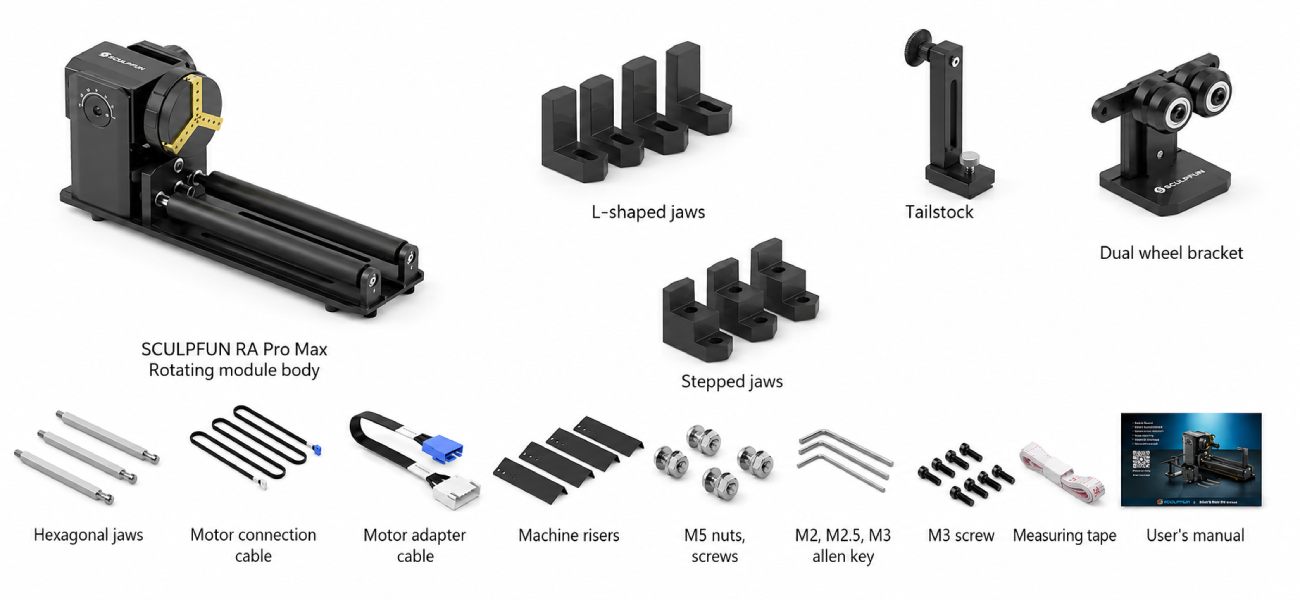
The kit contains all the necessary elements for connection and work with the laser engraver. Additional accessories expand the possibilities of fixing workpieces of different shapes and sizes.
- Sculpfun RA Pro Max Chuck rotary module with roller mechanism — 1 pc.
- Set of stepped chucks — 1 pc. Designed for reliable fixation of products of different diameters.
- Set of L-shaped chucks — 1 pc. Used for securing non-standard shaped items.
- Set of hexagonal chucks — 1 pc. Suitable for working with spherical and complex workpieces.
- Set of connection cables and measuring tape — 1 pc. Provides module connection to the engraver and helps set processing parameters.
- Set of screws — 1 pc. Necessary for mounting and changing the device configuration.
- Tailstock — 1 pc. Supports long workpieces during rotation.
- Two-wheel bracket — 1 pc. Helps stabilize items with complex geometry.
- Stands for raising the machine — 4 pcs. Increase the height of the working area for processing large items.
- User manual — 1 pc. Contains recommendations for module installation and setup.
Technical Specifications
| Specification | Value |
| Device Type | Rotary module for laser engraving |
| Number of Modes | 4 in 1 |
| Angle Adjustment Range | 0–180° |
| Workpiece Diameter in Roller Mode | 5–198 mm |
| Maximum Engraving Speed | 6000 mm/min |
| Engraving Accuracy | 0.1 mm |
| Software | LightBurn, LaserGRBL |
| Body Material | Anodized aluminum alloy |
| Chuck Material | Brass |
Operating Recommendations
- Before connecting the rotary module, be sure to turn off the power to the laser engraver.
- Before starting, ensure that the workpiece is securely fixed by the rollers or chucks.
- When working with long workpieces, it is recommended to use the tailstock or two-wheel bracket for additional stabilization.
- Before starting engraving, check the correct direction of axis rotation.
- After changing the module's tilt angle, ensure that the laser head is correctly positioned relative to the product surface.
- Before adjusting the chuck angle, the roller unit must be removed according to the manufacturer's instructions.
Buy Sculpfun RA Pro Max 4 in 1 Rotary Roller & Chuck in Ukraine
Order Sculpfun RA Pro Max 4 in 1 Rotary Roller & Chuck online with delivery across Ukraine. The module supports multiple workpiece fixation methods and allows working with both standard cylindrical products and complex-shaped items. Our specialists will consult on selection, compatibility, and equipment operation features.