

- Stock: In Stock
- Product code: 00-00014066

Precise Positioning of Blanks Using the SCULPFUN CAM500 Camera
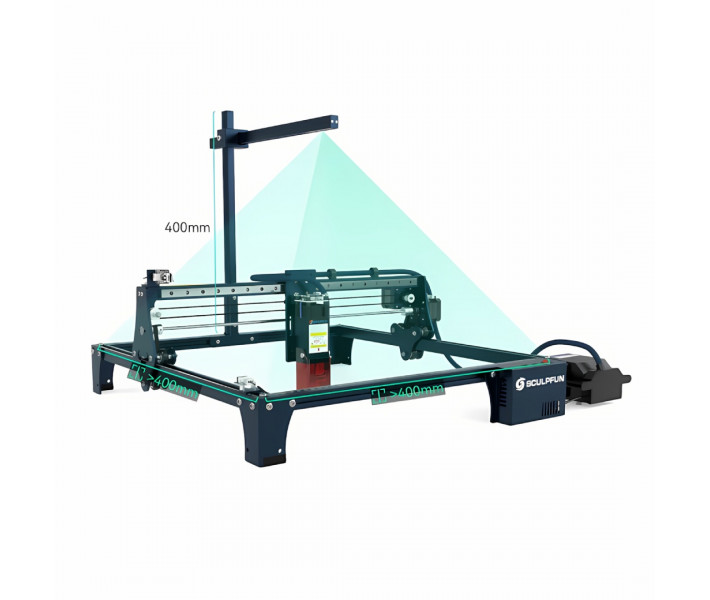
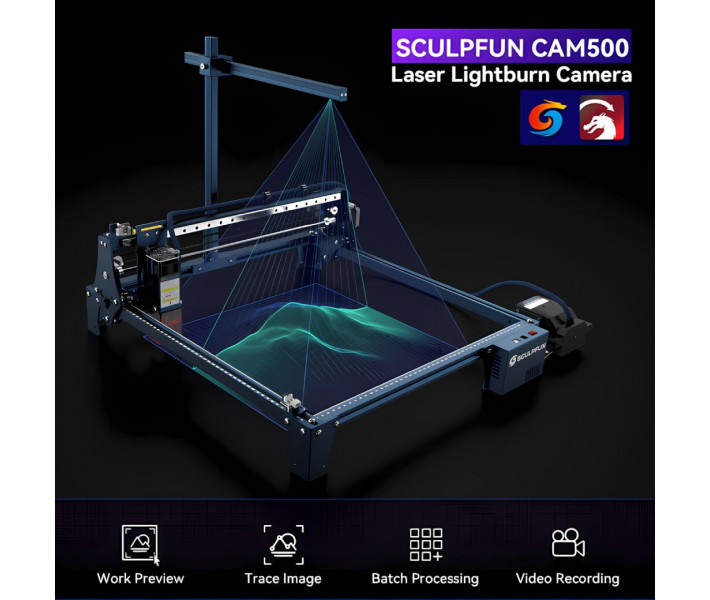
Sculpfun CAM500 is a camera for laser engravers, designed for precise positioning of blanks in the LightBurn software, with a resolution of 5 MP, a wide-angle lens of 120°, and positioning accuracy of less than 1 mm. The model helps quickly place layouts on the material, monitor the work area in real-time, and automate task preparation for engraving and cutting. The camera is designed for a work area up to 400 x 400 mm and supports contour tracing and batch processing of multiple items simultaneously.
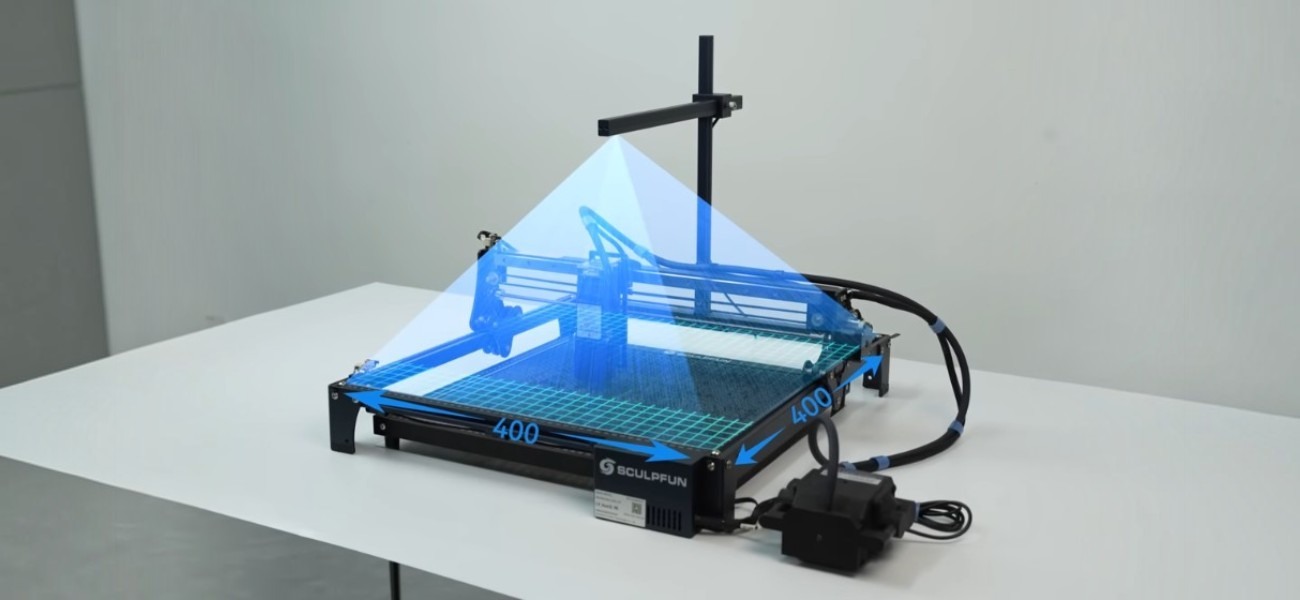
Advantages of Using the Camera During Engraving
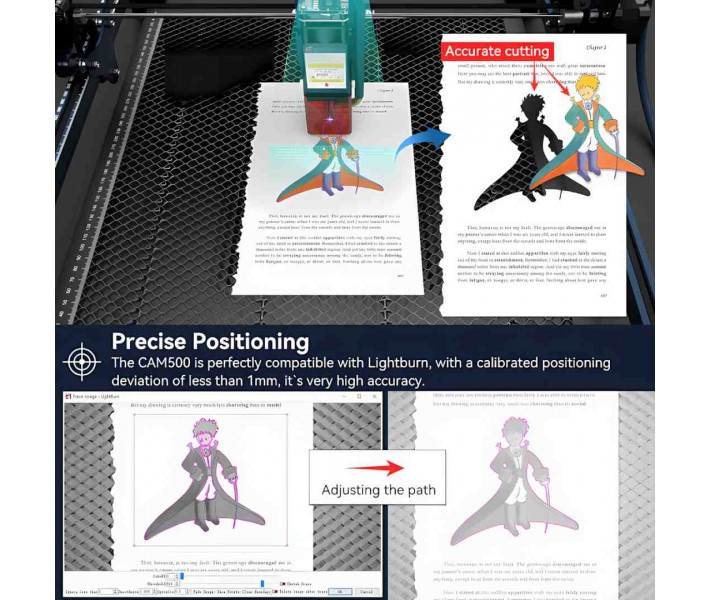
- Precise positioning of layouts on the material. After calibration, the deviation is less than 1 mm.
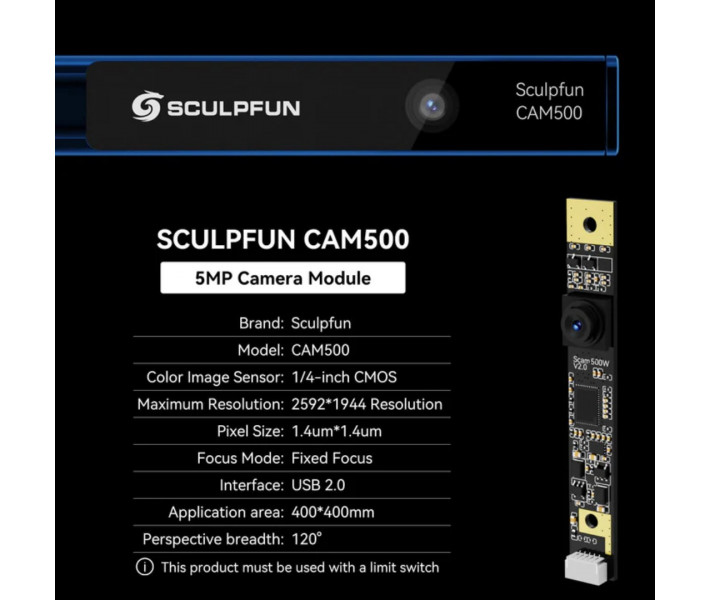
- 5 MP sensor resolution. The camera forms an image of 2592 × 1944 pixels for more accurate contour definition and object placement.
- Support for LightBurn Camera functions. Allows working with overlaying the image of the work field without manual measurements.
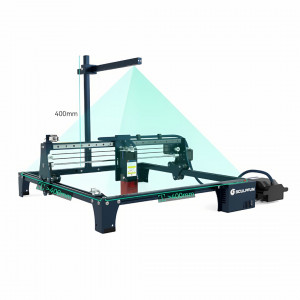
- Wide viewing angle of 120°. Provides control over a work area of up to 400 × 400 mm at a recommended installation height of 325 mm.
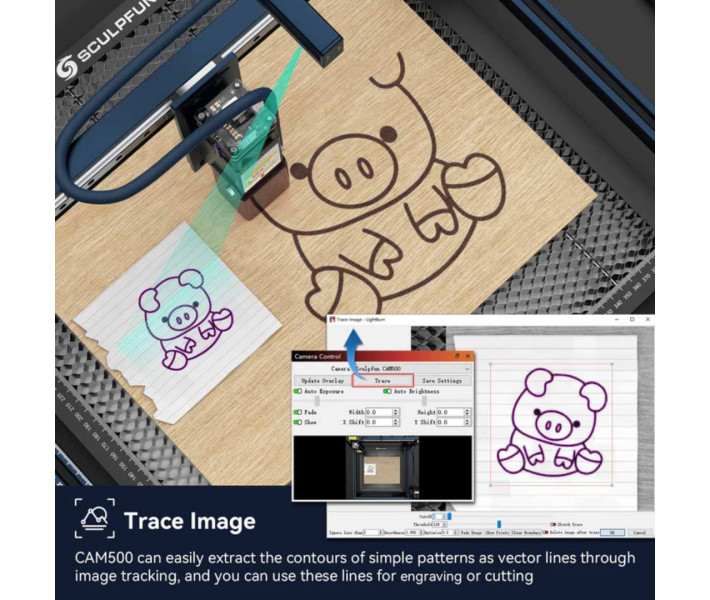
- Automatic contour tracing. The camera can determine the boundaries of simple images and create vector contours for further engraving or cutting.
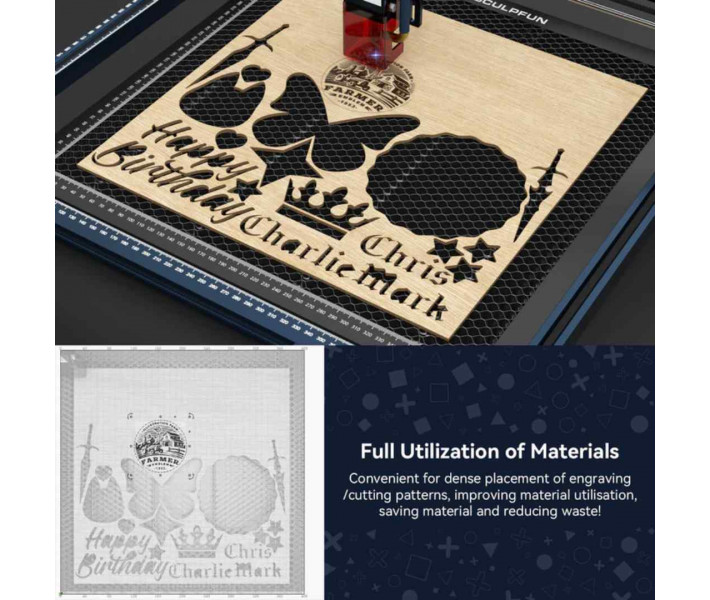
- Batch processing of parts. Allows determining the position of multiple blanks simultaneously and starting processing with one task.
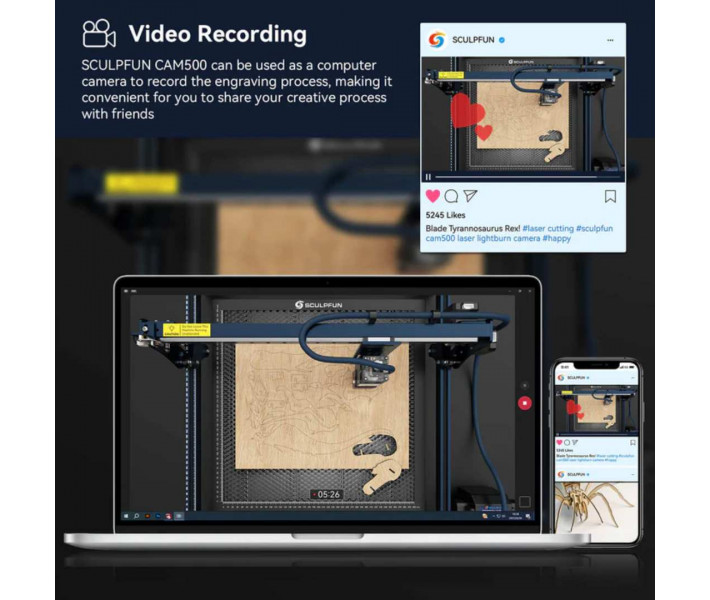
- Video recording function. The device can work as a webcam to record the engraving process.
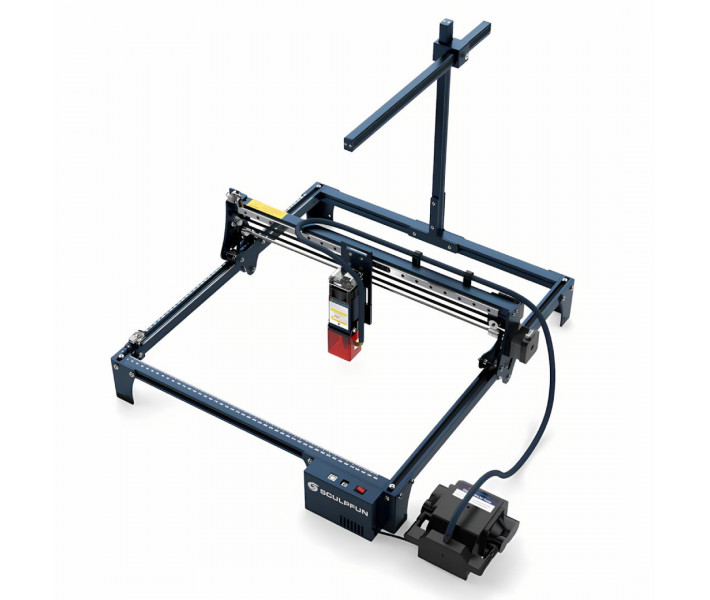
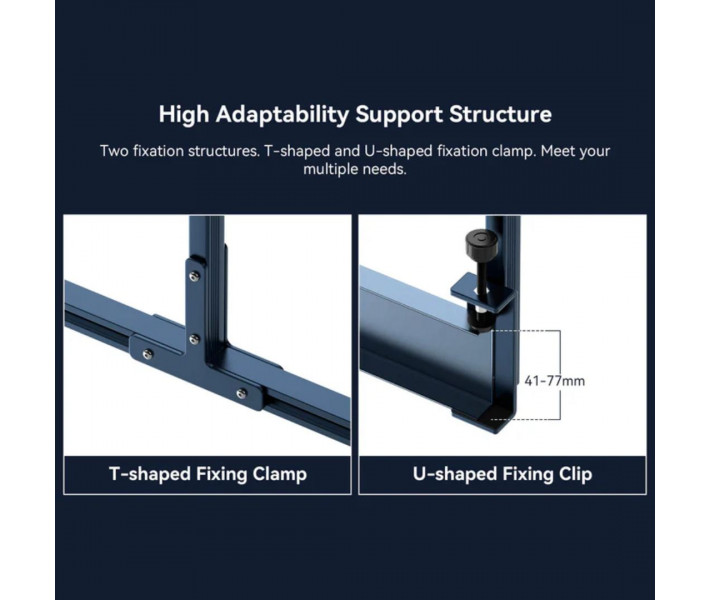
- Two mounting options. The kit includes T-shaped and U-shaped brackets for different laser machine designs.
Functional Capabilities of Sculpfun CAM500
Sculpfun CAM500 helps accurately place blanks before laser engraving. After connecting and setting up, the camera transmits an image of the work area to the LightBurn software, so you immediately see where the material is. This allows you to quickly place the layout in the desired location and avoid errors during engraving.
The camera can also determine the contours of objects and simplifies working with non-standard shaped parts. If you need to process multiple blanks simultaneously, Sculpfun CAM500 will help automatically determine their location and start tasks for all items. The model is equipped with a 1/4 inch CMOS sensor and a wide-angle lens with a focal length of 1.79 mm. The camera is designed to work at a distance of 325 mm from the work surface, which corresponds to the recommended installation height of the camera.
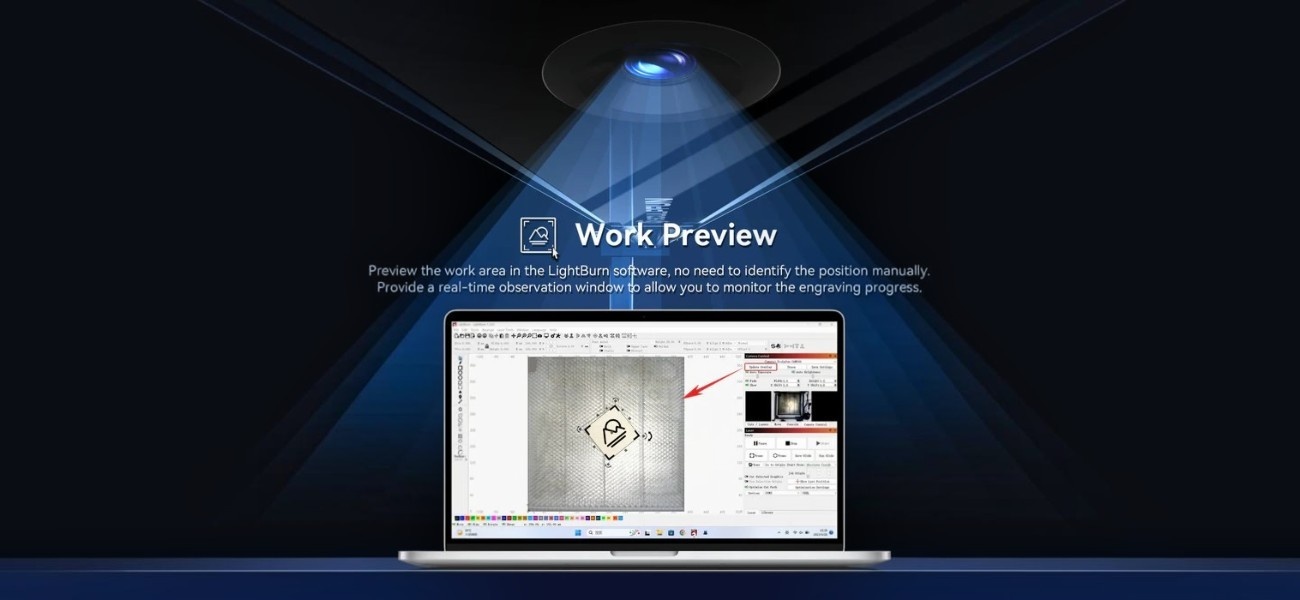
Applications of SCULPFUN CAM500
The Sculpfun CAM500 positioning system can be used in various directions of laser material processing. The camera's functions will be useful in the following areas:
- Laser engraving of wood.
- Laser cutting of plywood and thin sheet materials.
- Production of souvenir products.
- Marking of finished products.
- Working with material remnants.
- Serial production of identical parts.
- Positioning of complex or non-standard blanks.
- Control of the engraving process through video surveillance.
Sculpfun CAM500 helps reduce task preparation time thanks to visual control of the work surface and precise placement of layouts relative to blanks.
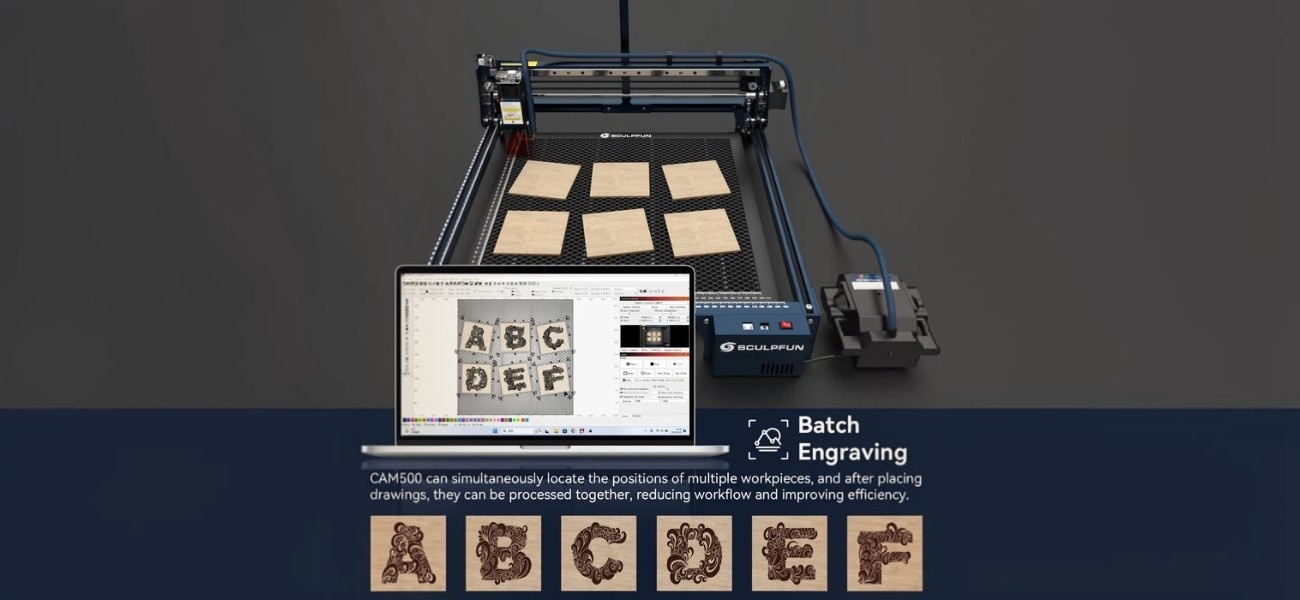
Compatible Equipment for SCULPFUN CAM500
The Sculpfun CAM500 camera comes with two types of mounts for installation on different laser engraver designs. The T-shaped clamp is suitable for Sculpfun models and most machines with a V-slot profile, while the U-shaped clamp is intended for equipment with a U-shaped beam.
The device is compatible with laser engravers from other brands, including D1 Pro, Falcon2, LM2 Pro S2, 20Pro, 20S, 55, JL3, and 3 Max V2.
For modifications Sculpfun S6, Sculpfun S6 Pro, Sculpfun S9, Sculpfun S9 Pro, and Sculpfun S10, it is necessary to additionally install limit switches before starting the optical module operation.
The equipment does not support working with work area extension kits that are mounted separately, but it is fully compatible with the Camera function in the LightBurn control software.
How to Start Working with SCULPFUN CAM500
Preparing the camera for work takes only a few minutes and does not require special skills. To use all the capabilities of the SCULPFUN CAM500, it is enough to correctly install the camera and perform calibration in the LightBurn software.
- Install the camera on the laser engraver frame using the included bracket.
- Connect the SCULPFUN CAM500 to the computer via USB.
- Add the camera in the LightBurn software and perform the initial setup.
- Perform calibration using the templates included in the kit.
- Ensure that the camera correctly determines the boundaries of the work area.
- Place the blank on the worktable and load the layout into LightBurn.
- Use positioning, contour tracing, or batch processing functions to prepare the task for engraving or cutting.
After completing the setup, the camera will display the current image of the work area and help accurately place projects on blanks. This will reduce preparation time and increase engraving accuracy.
Watch the SCULPFUN CAM500 video review to see the installation, calibration, and main capabilities of the camera in LightBurn.
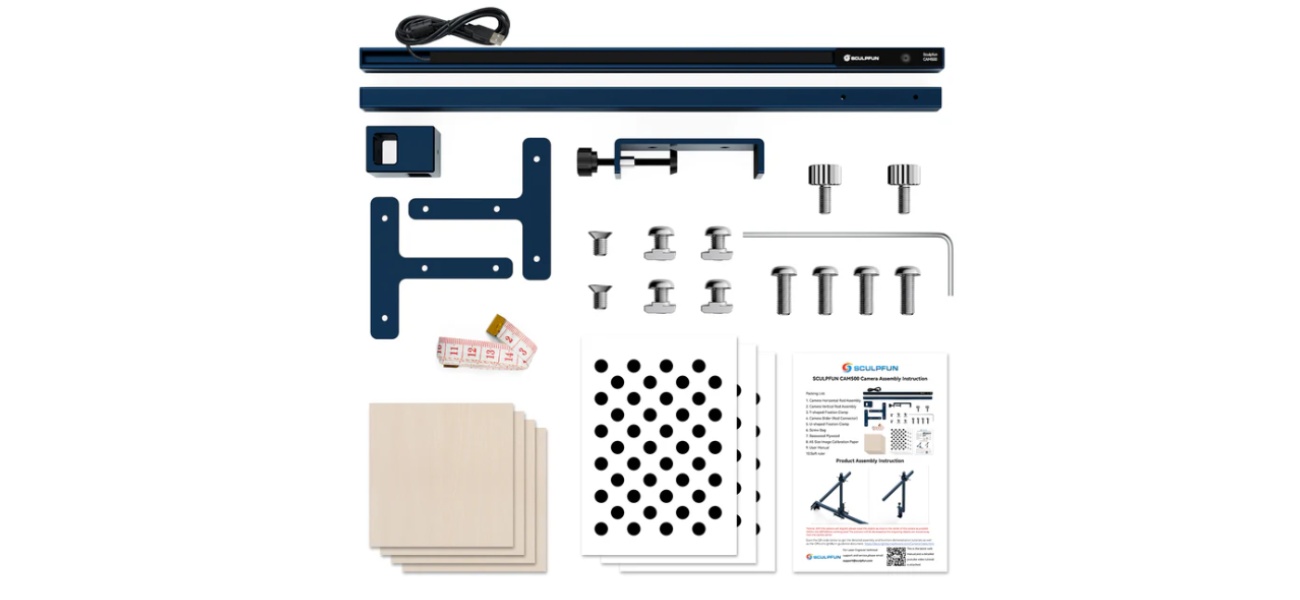
Package Contents of Sculpfun CAM500
The kit includes all necessary elements for installing the camera on a laser engraver and performing calibration in LightBurn. The mounting components allow adapting the system to different types of machine designs.
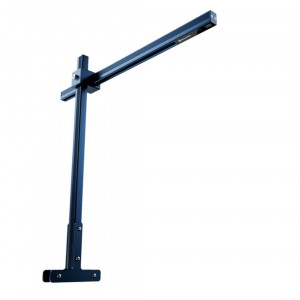
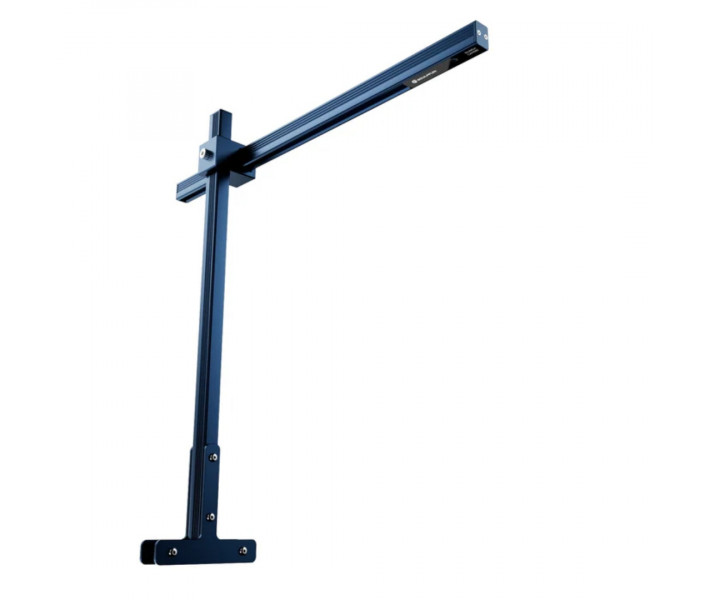
- Camera vertical stand assembly — 1 pc. The main support rod that holds the optical module at the required height above the machine's work area to provide a full view of the material.
- T-shaped bracket assembly — 1 pc. Mounting fixture designed to secure the stand on laser engraver frames with the popular V-slot construction profile.
- Camera slider / stand connector — 1 pc. Adjustment element that allows smoothly adjusting the height and tilt angle of the camera relative to the work surface.
- U-shaped bracket assembly — 1 pc. Alternative mounting fixture designed for installing the camera on machines with a specific U-shaped beam form.
- Set of mounting screws — 1 pc. A set of factory metal screws and metal elements for reliable connection of all construction nodes with each other.
- Test plywood sheets — 4 pcs. Wooden blanks used for conducting initial trial operations after setting up the optical system.
- Calibration templates A5 format — 3 sheets. Special paper with applied graphic marks necessary for precise focusing and lens alignment in the software.
- User manual — 1 pc. Step-by-step technical guide with rules for mechanical assembly of the construction and connecting the module to the computer.
- Flexible ruler — 1 pc. Measuring tool for quick and accurate determination of the distance from the camera lens to the blank surface.
- Hex key 1.5 mm — 1 pc. Mounting tool for tightening fixing screws during frame assembly and lens positioning.
Technical Specifications
| Specification | Value |
| Device Type | Camera for laser engraver |
| Sensor Resolution | 5 MP |
| Maximum Resolution | 2592 x 1944 |
| Sensor Type | 1/4" CMOS |
| Pixel Size | 1.4 x 1.4 µm |
| Focal Length | 1.79 mm |
| Focus Type | Fixed |
| Focusing Distance | 325 mm |
| Viewing Angle | 120° |
| Aperture | F2.4 |
| Connection Interface | USB 2.0 |
| Camera Work Area | 400 x 400 mm |
| Positioning Accuracy | Less than 1 mm |
| Supported Software | LightBurn |
Tips for Using the Camera
- Ensure that your laser engraver supports working with absolute coordinates.
- For models S6, S6 Pro, S9, S9 Pro, and S10, it is necessary to install limit switches.
- Optimal accuracy is achieved within the recommended work area of 400 x 400 mm.
- After installation, do not change the camera position without recalibration.
- If using a work area extension kit, note that the manufacturer does not guarantee compatibility of CAM500 with such solutions.
- A licensed version of LightBurn with camera support functions is required for correct operation.
Buy Sculpfun CAM500 in Ukraine
The SCULPFUN CAM500 camera can be ordered from 3DDevice with delivery throughout Ukraine and consultation on connection and setup. After installation, you will be able to use the capabilities of precise positioning and tracing in LightBurn.