

- Stock: In Stock
- Product code: 00-00013918
- Shipping Weight: 29.00kg

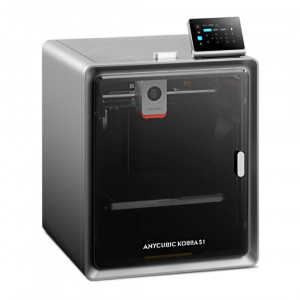
Anycubic Kobra 3 Combo: FDM Printing in Different Colors
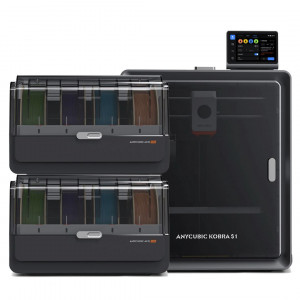
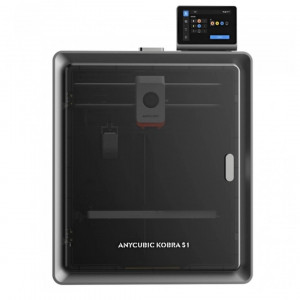
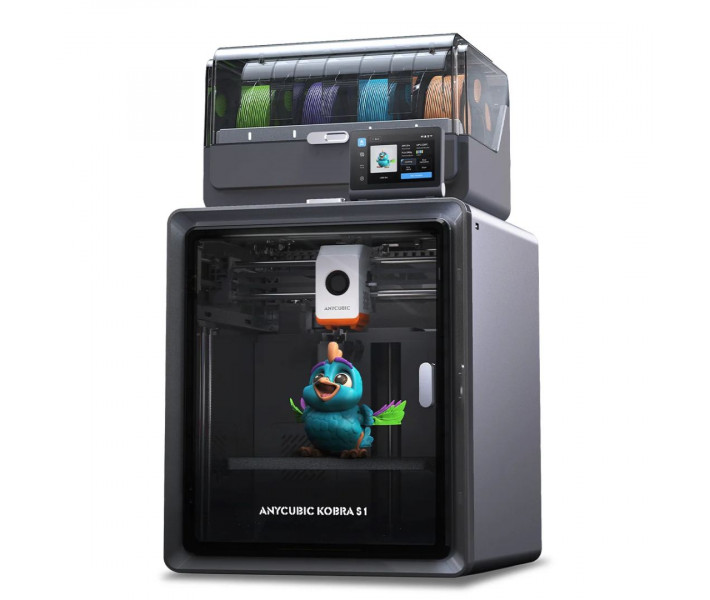
Anycubic Kobra 3 Combo is a comprehensive additive system. It consists of a high-performance 3D printer and the Anycubic Color Engine Pro (ACE Pro) automatic material feeding module. The model is aimed at serial production of complex multicolored items and functional prototyping using engineering thermoplastics.
Technical Specifications and Kinematics
The printer is based on a classic scheme with a movable bed along the Y-axis, but deep optimization of mechanics and software based on Klipper algorithms elevates it to industrial speeds:
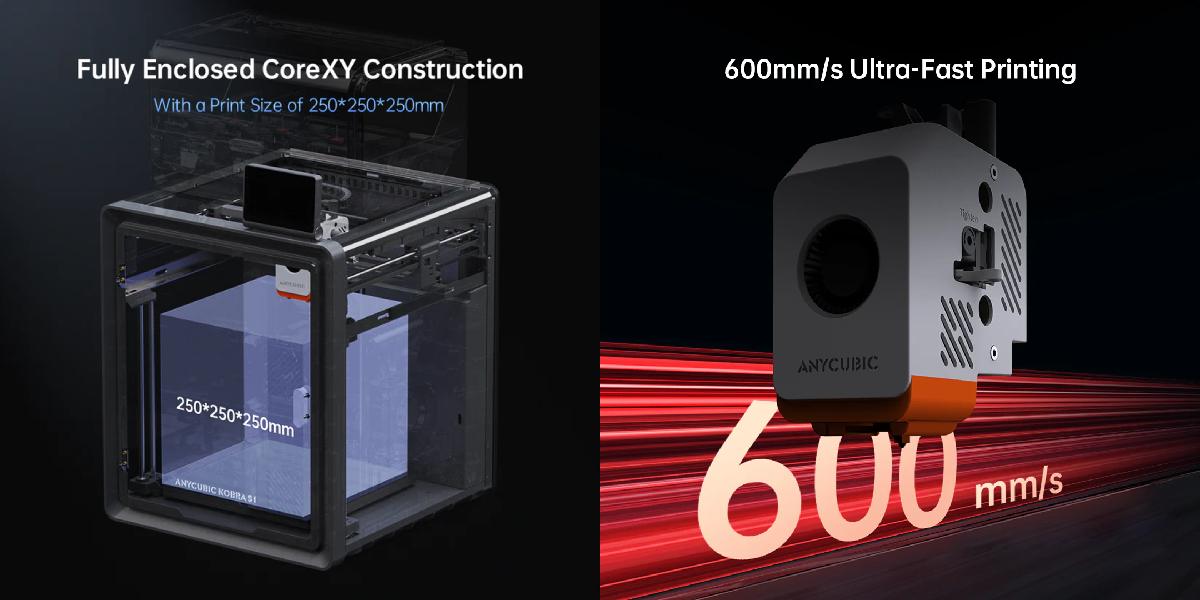
- Maximum print speed: 600 mm/s.
- Recommended working speed: 300 mm/s.
- Acceleration: up to 20,000 mm/s².
- Build volume: 250 x 250 x 260 mm.
- Extruder temperature: up to 300 degrees Celsius (all-metal hotend).
- Bed temperature: up to 110 degrees Celsius.
To minimize artifacts (defects) at high speeds, the system implements Input Shaping (resonance compensation) and Pressure Advance (nozzle pressure control) algorithms, ensuring sharp corners and uniform filament extrusion.
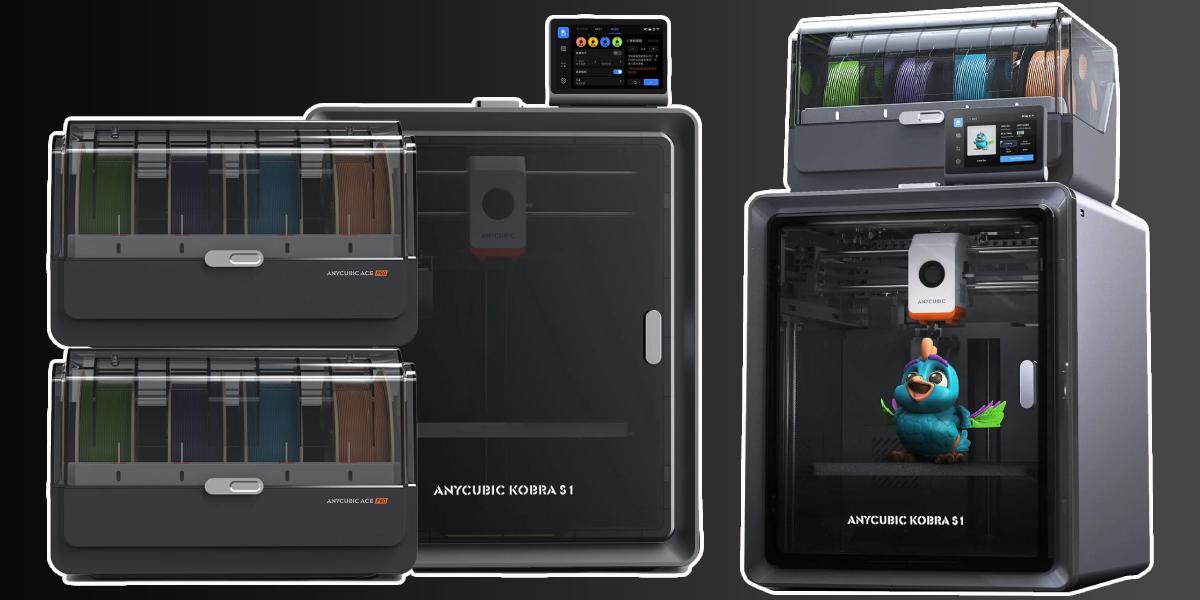
Advantages and Features of Kobra S1 Combo
Multicolor Printing and ACE Pro System
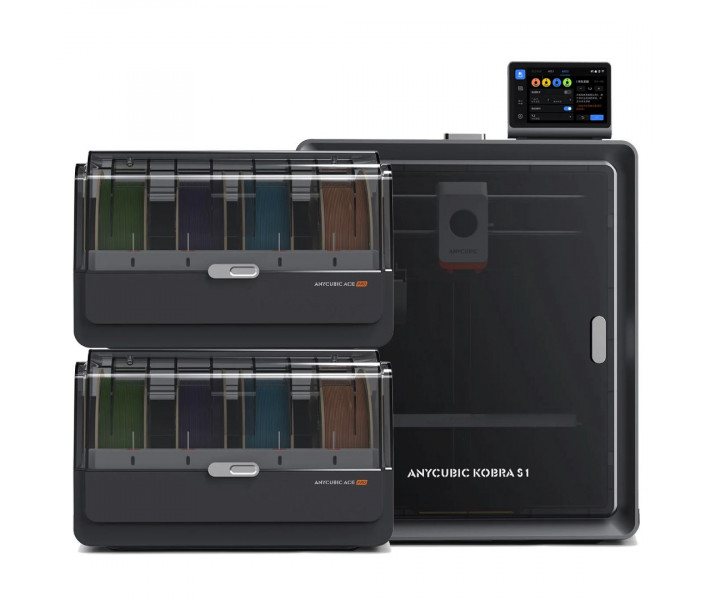
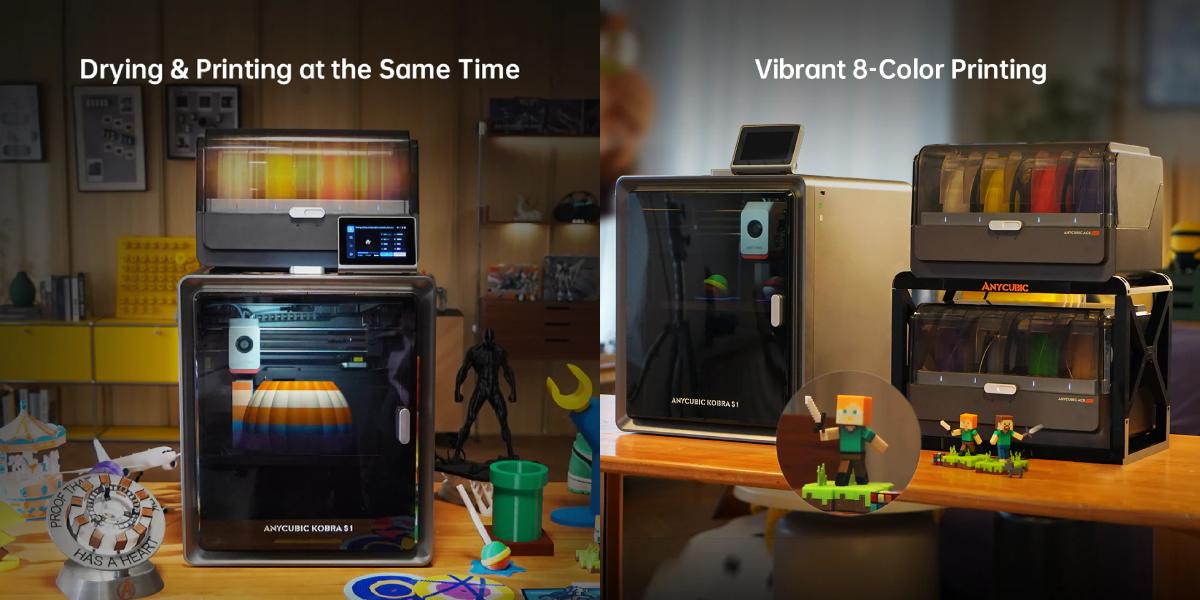
- Support for up to 8 colors: the standard Combo configuration allows printing in 4 colors, and when combining two ACE Pro modules, the system expands to 8 colors.
- Active filament drying: the ACE Pro module performs the functions of a "2-in-1" device, providing plastic feeding and drying simultaneously during the printing process, which is critically important for materials like PETG or ABS.
- Intelligent filament management: the system supports tangle detection and an Auto-Filament Refill function — if one spool runs out of plastic, the printer automatically switches to a similar one in another slot.
Speed and Performance
- Extreme speed: the maximum print speed is 600 mm/s, while the recommended speed for consistently high quality is 300 mm/s.
- Fast acceleration: the system supports acceleration up to 10,000–20,000 mm/s² (depending on the specific series modification), allowing a standard Benchy model to be printed in about 13–15 minutes.
- Fast bed heating: the print platform (Hotbed) can heat up to 60°C in just 125 seconds.
Technical Specifications
| Printer Type | FDM / FFF |
| Construction | Cartesian |
| Build Volume | 250 × 250 × 250 mm |
| Number of Extruders | 1 |
| Color Support | up to 4 (up to 8 with ACE Pro) |
| Filament Diameter | 1.75 mm |
| Feeding Type | Direct Drive |
| Nozzle Temperature (max.) | 300–320 °C |
| Bed Temperature (max.) | ~110 °C |
| Hotend Type | All-metal |
| Nozzle Diameter | 0.4 mm |
| Max. Print Speed | up to 600 mm/s |
| Recommended Speed | 200–300 mm/s |
| Acceleration | up to ~20,000 mm/s² |
| Layer Height | 0.05 – 0.3 mm |
| Print Accuracy | ±0.1 mm |
| Auto-Leveling | yes (LeviQ) |
| Platform | PEI, magnetic, flexible |
| Heated Bed | yes |
| Filament Sensor | yes |
| Clog/Break Sensor | yes |
| Print Resume | yes |
| Screen | touchscreen (~4–5") |
| Interfaces | USB / Wi-Fi / LAN |
| Remote Control | Anycubic App |
| Supported Materials | PLA, PETG, ABS, TPU, ASA |
| File Formats | STL, OBJ, AMF, G-code |
| Software | Anycubic Slicer, Cura, PrusaSlicer |
| Noise Level | ~44–50 dB |
| Printer Dimensions | ~450 × 450 × 480 mm |
| Net Weight | ~10–13 kg |
| Power Supply | 100–240 V |
| Gross Weight | ~25.9 kg |
Intelligent Features and Software
- LeviQ 3.0 and auto-Z-offset: the automatic platform leveling system is complemented by an automatic nozzle height adjustment (Z-offset) function, eliminating the need for manual first layer calibration.
- Anycubic Ecosystem: the printer works with Anycubic Slicer Next software (created based on Orca), which is optimized to enhance slicing accuracy. Control and monitoring are available through the Anycubic App mobile application.
- AI Monitoring: with a camera, the system supports "spaghetti" (print error) detection, belt tension control, and time-lapse recording.
- Safety: features like print resume after power loss (Power Loss Resume) and filament end sensors are standard equipment.
Technical Advantages of the Design
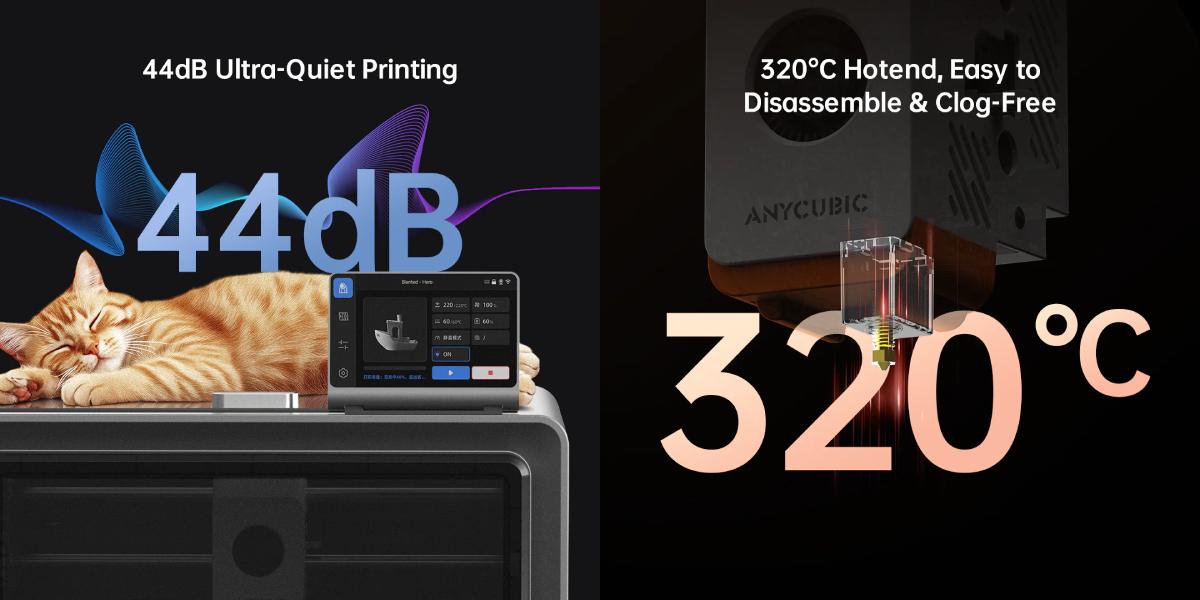
- High-temperature hotend: the nozzle supports temperatures up to 300–320°C and is equipped with a quick-release mechanism, allowing tool-free changes.
- Vibration Compensation: support for resonance compensation algorithms and dynamic flow calibration to eliminate artifacts at high speeds.
- Quiet Printing: in quiet mode, the noise level is around 44 dB, making the device comfortable to use at home.
Material Compatibility
The printer is compatible with all major types of filament, including PLA, PETG, ABS, ASA, and TPU. It should be noted that soft TPU plastic (95A) is intended only for single-color printing and is not compatible with feeding through ACE Pro.
ACE Pro System: Active Material Management
The ACE Pro module acts as a filament change device (up to 4 spools) and an active drying chamber.
- Active heating: the built-in 200W heating element maintains the set temperature inside the box, preventing the degradation of hygroscopic plastics (PETG, Nylon, TPU) directly during printing.
- Intelligent feeding: the system is equipped with clog and filament end sensors. In case of breakage or filament end, the printer automatically switches to a duplicate spool of the same type.
- RFID Integration: when using original Anycubic materials, the system automatically recognizes the type of plastic and the remaining amount on the spool, synchronizing data with the slicer.
Design and Electronics Features
- LeviQ 3.0 System: automatic platform leveling at 25 points with a strain gauge sensor. The system accounts for micro-irregularities of the PEI plate and automatically calibrates the Z-offset, eliminating the need for manual first layer adjustment.
- Direct Extruder: dual-drive feeding system with a gear ratio optimized for stable operation with flexible and abrasive materials.
- Cooling System: a centrifugal fan with speeds up to 10,000 rpm provides instant layer solidification at high speeds, preventing deformation of overhanging elements.
- Magnetic PEI Platform: ensures high adhesion when heated and easy removal of finished parts after cooling due to the natural flex of the sheet.
Application Feasibility
Thanks to the high semantic density of functions and the reliability of components, the Kobra 3 Combo is effective in the following areas:
- Small-scale production: manufacturing of cases, brackets, and parts with complex geometry.
- Medicine and anatomical models: printing multicolored aids with clear visual separation of internal structures.
- Design and advertising: creating signs, logos, and souvenir products that do not require subsequent painting.
- Education: studying the basics of kinematics and 3D modeling on equipment with an automated file preparation cycle.
User Benefits
Using the Kobra 3 Combo minimizes post-processing time by using special support materials and reduces the percentage of defects caused by plastic moisture. The system combines a dryer, automatic feeder, and high-speed printer, saving workspace and simplifying equipment management through the Anycubic mobile app or cloud service.
Order the Anycubic Kobra S1 Combo with a warranty by contacting our experts. All contact information is available on the "Contacts" page. Orders can also be placed on the website.
Expert Analysis on Working with Anycubic Kobra S1 Combo
What printing technology is used in Anycubic Kobra S1 Combo?
The device uses the FDM (Fused Deposition Modeling) method — layer-by-layer deposition of molten plastic. This technology dominates the market due to the availability of materials, ease of learning, and versatility: such a printer can create both rough prototypes and ready-to-use parts.
What design solutions ensure stable print quality?
The model implements an automatic bed leveling system, minimizing user error during setup. High quality is also ensured by rigid kinematics, a precise filament feeding system, and software optimization of movements, which effectively dampens vibrations and eliminates surface defects.
How does bed calibration affect the print result?
Calibration affects the distance between the nozzle and the surface when printing the first layer. This is the foundation of adhesion: errors here lead to corner warping or complete detachment of the model from the bed in the middle of the cycle.
What types of plastic are best used for Anycubic?
For decorative tasks, PLA is ideal due to minimal shrinkage. If a balance of flexibility and strength is important, PETG should be chosen. For creating heat-resistant and impact-resistant components, ABS is suitable, but it requires strict temperature control in the room.
What settings are most important for obtaining detailed surfaces?
Layer thickness, extruder working temperature, speed mode, and retraction settings are crucial. Reducing layer height makes the surface smooth but increases work time. Mastery lies in finding the balance of these factors.
How is filament feeding arranged and what is its advantage?
The mechanism ensures uniform plastic supply, eliminating "gaps" in layers and uneven extrusion. This is a critical reliability factor when printing large objects that take tens of hours.
What does reliable model adhesion to the platform depend on?
Adhesion is influenced by bed heating, its coating type, and the accuracy of the "zero" layer setting. To increase stability, special adhesives or textured magnetic substrates are often used.
Is the Kobra S1 Combo suitable for professional prototyping?
Thanks to repeatability of results and high accuracy, the Anycubic Kobra S1 Combo is excellent for small-scale production and creating functional engineering samples while remaining a budget-friendly solution.
What mistakes are most commonly made by FDM system users?
Problems often arise due to careless calibration, overheating of plastic, excessive speed, or using "wet" (moisture-absorbed) filament, which spoils the structure and appearance of the product.
How to properly maintain the Anycubic Kobra S1 Combo?
It is necessary to timely clean the nozzle, monitor belt tension and mechanical condition, clean and lubricate the axes. Plastic should be stored in airtight boxes with a desiccant. Regular maintenance ensures predictable results for each print.